SettingsHow-to
Which of my Mac apps still need Rosetta? How to find Intel-only apps before support ends
Apple silicon
Short answer
Hold Option, open the Apple menu and choose System Information. Go to Software › Applications and sort by the Kind column. Apps marked Intel need Rosetta, and they'll stop working when a future macOS drops it. macOS 27 is the last version with full Rosetta support.
On this page
List every Intel-only app
- Hold Option and choose Apple menu › System Information.
- In the sidebar, select Software › Applications. It takes a moment to load.
- Click the Kind column header to sort. Apple Silicon or Universal are fine. Intel means the app runs through Rosetta.
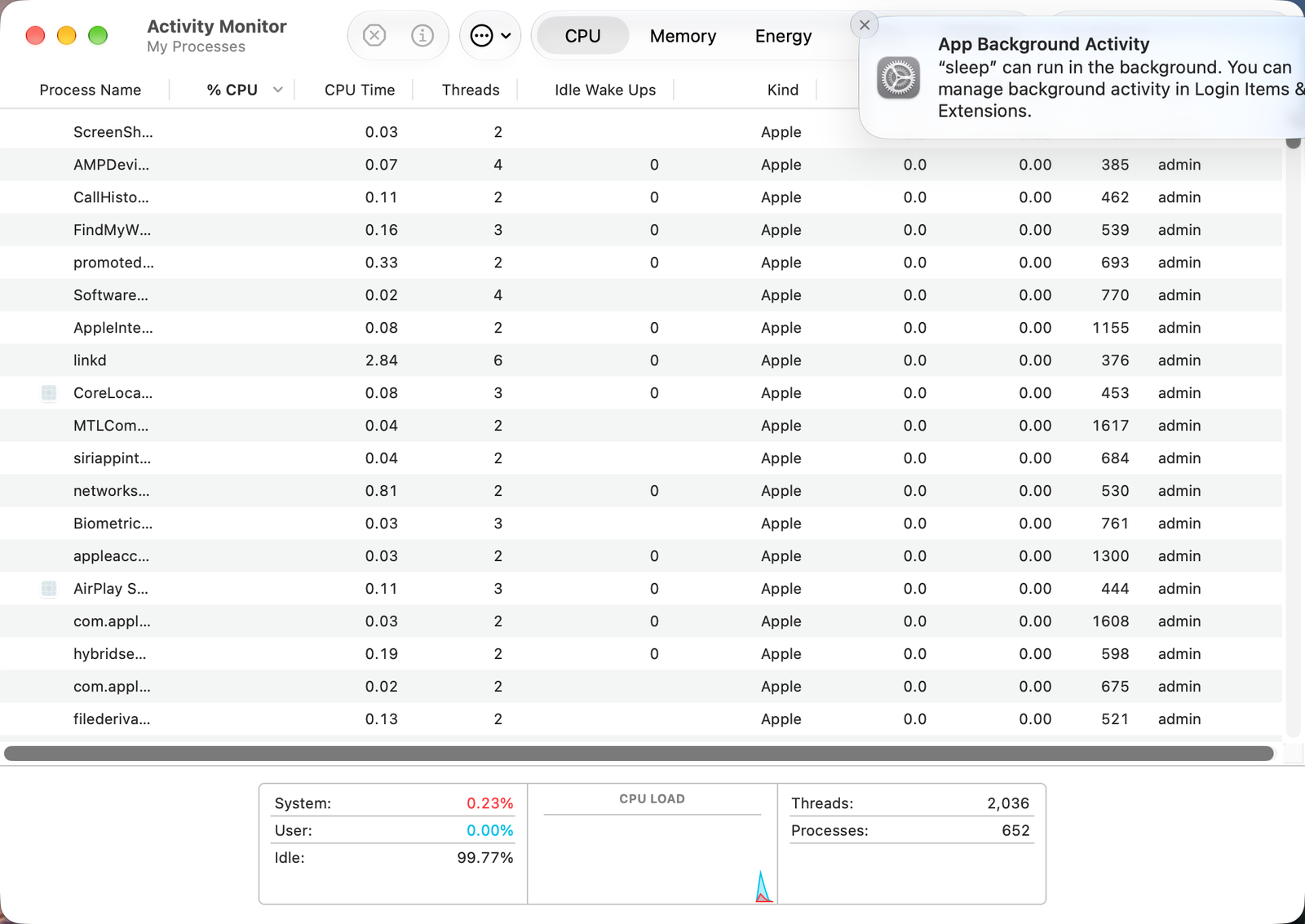
See which running apps use Rosetta
Open Activity Monitor, click CPU, and look at the Kind column. If you can't see it, right-click a column header and turn it on.
What to do with each Intel app
- Update it. Most developers have released Apple silicon versions. Check the app's website, not only the App Store.
- Find a replacement if the app is no longer maintained.
- Plugins count too. Audio plugins, printer and scanner drivers, and old games are the most common Intel-only leftovers.
Rosetta and the macOS 27 update
- Intel apps still run on macOS 27.
- Before macOS 27.2, upgrading could remove Rosetta. From 27.2 it stays installed. If an Intel app asks for Rosetta, accept the prompt to install it again.
- Apps set to Open using Rosetta in Get Info may open natively after the update. Turn the option back on if one misbehaves.
Other apps that can help
You don’t need any of these for the steps above. They go further in different ways, so pick what fits how you work.
| App | What it does | Price |
|---|---|---|
| Silicon Info | Menu bar icon showing whether the front app runs natively or through Rosetta | Free, open source |
Sources and further reading
- macOS 27 issues: Rosetta 2 support ends · CleanMyMac blog
- If you need to install Rosetta on your Mac · Apple Support
Reader tips
No tips yet. If something else worked for you, or a step looks different on your Mac, add it here.