Mac slow after updating macOS? Why it happens and how long it lasts
Short answer
It's usually temporary. After an update, the Mac rebuilds its Spotlight index and re-scans your photos and mail, which uses the processor and makes fans spin. Leave it plugged in and awake for a few hours. If it's still slow after two days, find the cause in Activity Monitor and work through the steps below.
On this page
Check whether it's still indexing
- Open Activity Monitor from Applications › Utilities and click CPU.
- If
mds_stores,mdworker,mediaanalysisdorphotoanalysisdare near the top, the Mac is still working through your files. Leave it.
If it stays slow
- Restart fully, rather than just closing the lid.
- Update your apps. Older apps that aren't ready for the new macOS can hang or use a lot of processor time.
- Check memory. In Activity Monitor, click Memory. If Memory Pressure at the bottom is red, quit apps or browser tabs you aren't using.
- Free up storage. Keep at least 10 to 15 percent of the disk free. See System Settings › General › Storage.
- Trim login items. See how to stop apps opening at login.
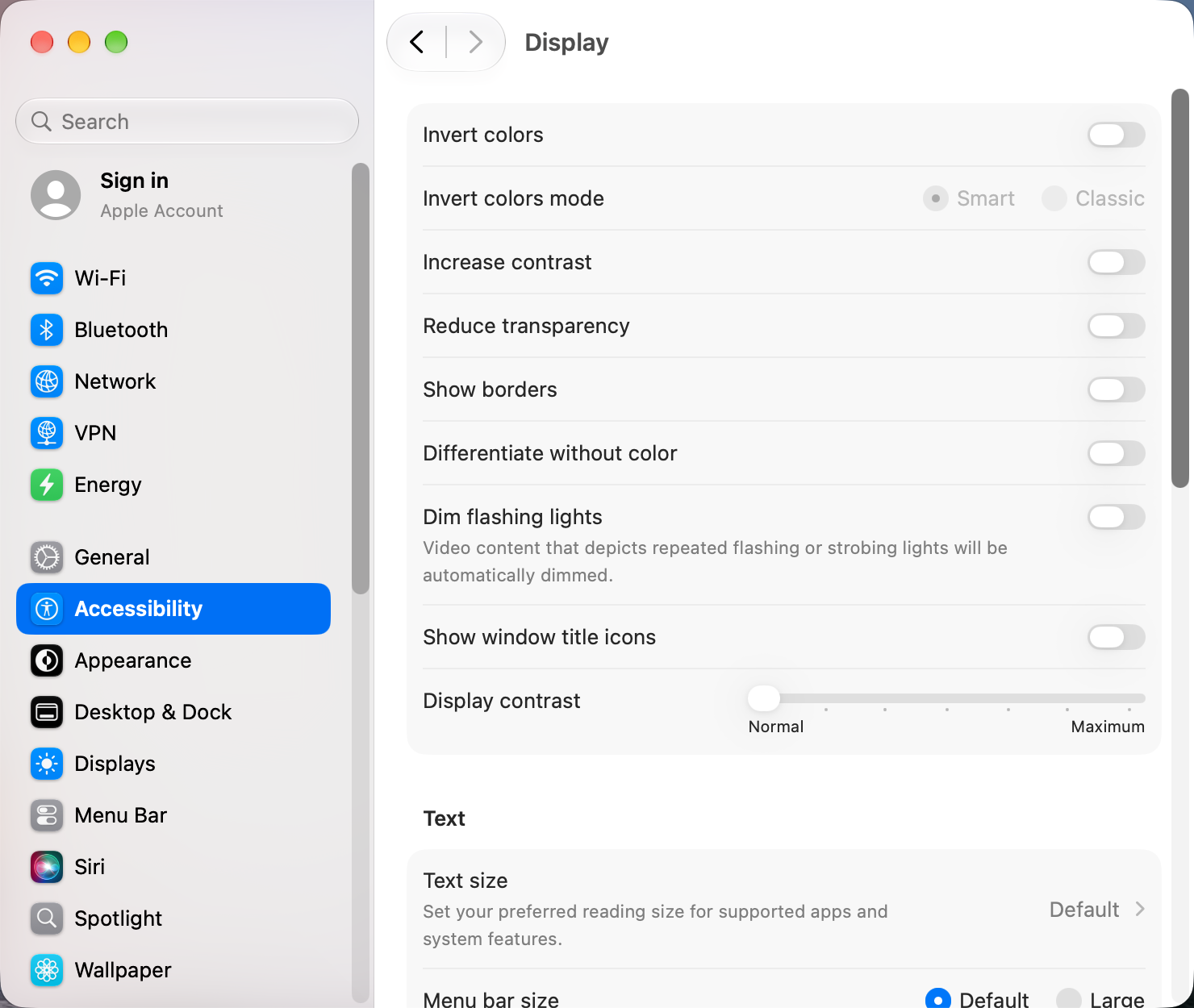
- Make the interface lighter. Turn on Reduce transparency in System Settings › Accessibility › Display and Reduce motion in Accessibility › Motion. On macOS 27 you can also make Liquid Glass more opaque: see Liquid Glass settings.
Only Mission Control and Spaces feel slow?
That's a known macOS 27 problem. See Mission Control lag on macOS 27.
Other apps that can help
You don’t need any of these for the steps above. They go further in different ways, so pick what fits how you work.
| App | What it does | Price |
|---|---|---|
| Stats | CPU, memory, disk and fan use in the menu bar | Free, open source |
| iStat Menus | Detailed system monitoring in the menu bar | Paid |
Sources and further reading
- macOS 27 issues: what to be aware of · CleanMyMac blog
- Can't update to macOS 27 Golden Gate? 9 fixes to try · Switching to Mac
Reader tips
No tips yet. If something else worked for you, or a step looks different on your Mac, add it here.