Mission Control lag and black screens on macOS 27: every fix that works
Several displaysmacOS 27.0 to 27.2
Short answer
This is a macOS 27 bug, not your Mac. For a black screen left on a display, open Mission Control, add a new desktop with +, switch to it, then delete the broken one. For general lag, restart the Dock and turn on Reduce motion. Apple hadn't listed a fix as of macOS 27.2, so these are workarounds until it does.
On this page
What people are seeing
- Mission Control and swiping between desktops judder instead of animating smoothly.
- Dragging a desktop to another display leaves a black, unresponsive screen behind.
- Switching to or leaving a full-screen app shows a black or empty desktop.
- Desktop thumbnails are missing from the Spaces bar, or minimised windows are missing from Mission Control.
- Apps forget which desktop they were assigned to.
Not everyone gets these. Reports are most common with two or more displays and with full-screen apps.
Fix a black screen on one display
- Move the pointer to the display with the black screen and open Mission Control (Control ↑ or F3).
- Click + at the right end of the Spaces bar to add a desktop.
- Click the new desktop to switch to it.
- Open Mission Control again, hover over the broken desktop and click its × to remove it. Its windows move to another desktop.
Restart the Dock
The Dock process runs Mission Control and Spaces, so restarting it clears a lot of glitches. Your windows and settings stay as they are.
killall DockIf that doesn't help, restart the Mac once. Some people found missing thumbnails came back after a full restart.
Make the animations lighter
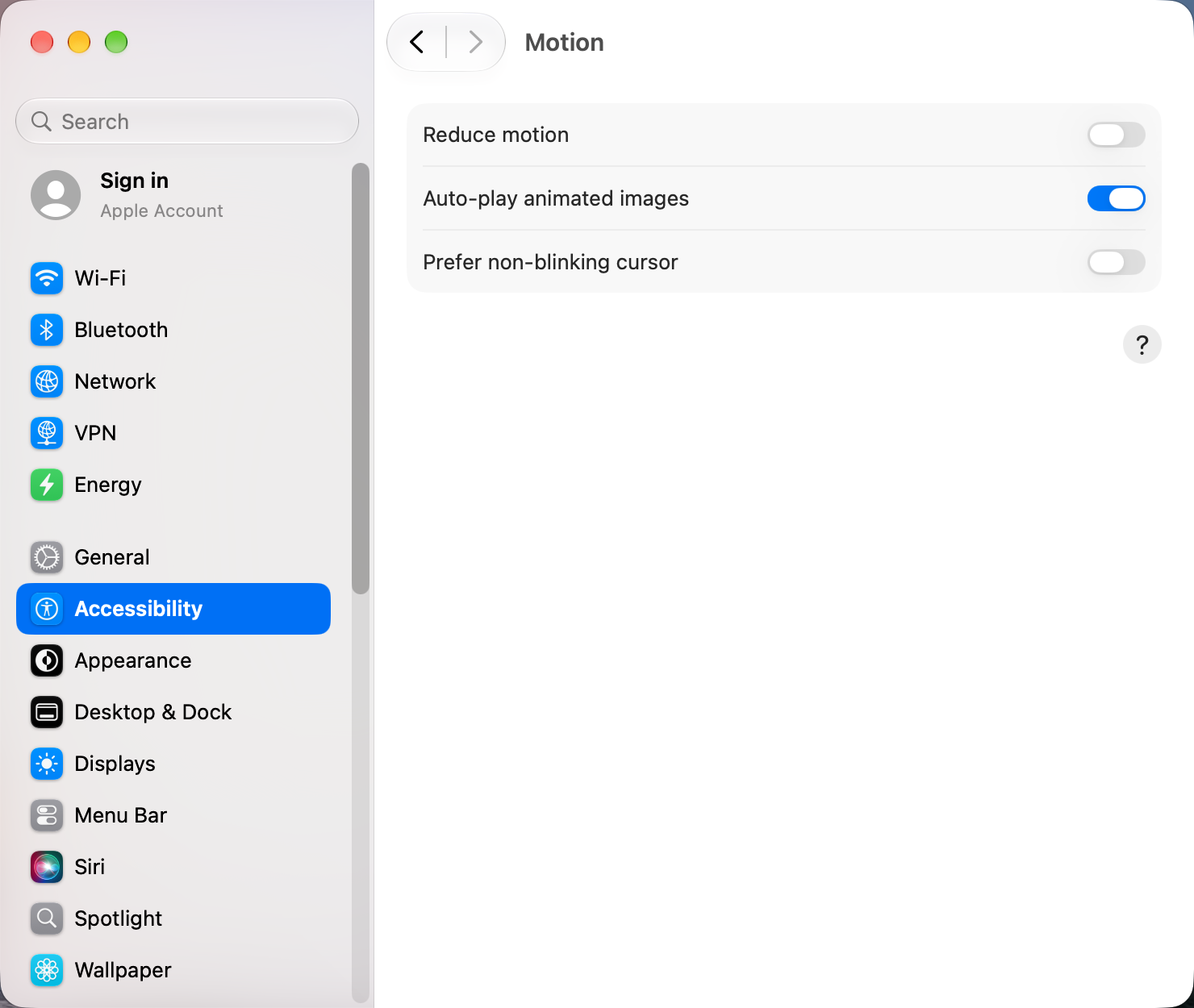
- Open System Settings › Accessibility and click Motion, and turn on Reduce motion. Switching desktops then fades instead of sliding.
- In Accessibility › Display, turn on Reduce transparency, which takes load off the graphics work behind Liquid Glass.
- In System Settings › Desktop & Dock, turn off Automatically hide and show the Dock.
Stop desktops from shuffling
If your desktops keep changing order, turn off Automatically rearrange Spaces based on most recent use in System Settings › Desktop & Dock › Mission Control. The Terminal equivalent:
defaults write com.apple.dock mru-spaces -bool false; killall DockTo reassign an app to a desktop, right-click its Dock icon and choose Options › Assign To.
Avoid full screen for now
Full-screen apps trigger many of the black screens. Instead of full screen, fill the screen with Window › Move & Resize › Fill, or press Fn Control F. The window gets the whole screen but stays on a normal desktop. See how to snap windows.
Rule out other apps
Window managers and utilities that hook into Spaces can make things worse. Quit them one at a time and try Mission Control again. Minimised windows missing from Mission Control can still be reached with Command Tab: hold Option before you let go of Command.
Last resort: reset Spaces
Careful: this deletes all your desktops and app assignments. Back up the settings file first, as the first command does.
cp ~/Library/Preferences/com.apple.spaces.plist ~/Desktop/com.apple.spaces.plist.backup
defaults delete com.apple.spaces
killall Dock
To undo it, copy the backup back to ~/Library/Preferences/com.apple.spaces.plist and restart the Mac.
A temporary workaround for several displays
Turning off Displays have separate Spaces in Desktop & Dock › Mission Control makes your displays share one set of desktops, which avoids the black screens for some people. You have to log out for it to apply, and it changes how the Dock and menu bar behave. See the trade-offs.
Tell Apple
Bugs with many reports get fixed sooner. Open the Feedback Assistant app, choose macOS, and include a screen recording, your display setup and your macOS version.
Other apps that can help
You don’t need any of these for the steps above. They go further in different ways, so pick what fits how you work.
| App | What it does | Price |
|---|---|---|
| AeroSpace | Tiling window manager with its own workspaces, so it doesn't depend on Spaces animations | Free, open source |
| Hammerspoon | Script window and Space switching with Lua | Free, open source |
| Mission Boost Made by us | Close, minimize and quit windows inside Mission Control, plus side-by-side layouts from there. Doesn't fix the macOS 27 bug. | €9 once, free trial |
Sources and further reading
Applies tomacOS 27