Spotlight not finding files or apps on Mac? Rebuild the index
Short answer
Right after a macOS update, Spotlight may still be indexing, so wait a few hours with the Mac plugged in. If files are still missing after that, rebuild the index: add your disk to Spotlight's exclusions list in System Settings, then remove it again. macOS then indexes the whole disk from scratch.
On this page
Check it isn't still indexing
Search for anything in Spotlight. If indexing is in progress, a progress bar or "Indexing" message appears in the results. On macOS 27 the index was rebuilt from the ground up, so the first indexing after updating takes longer than usual.
Check what's excluded
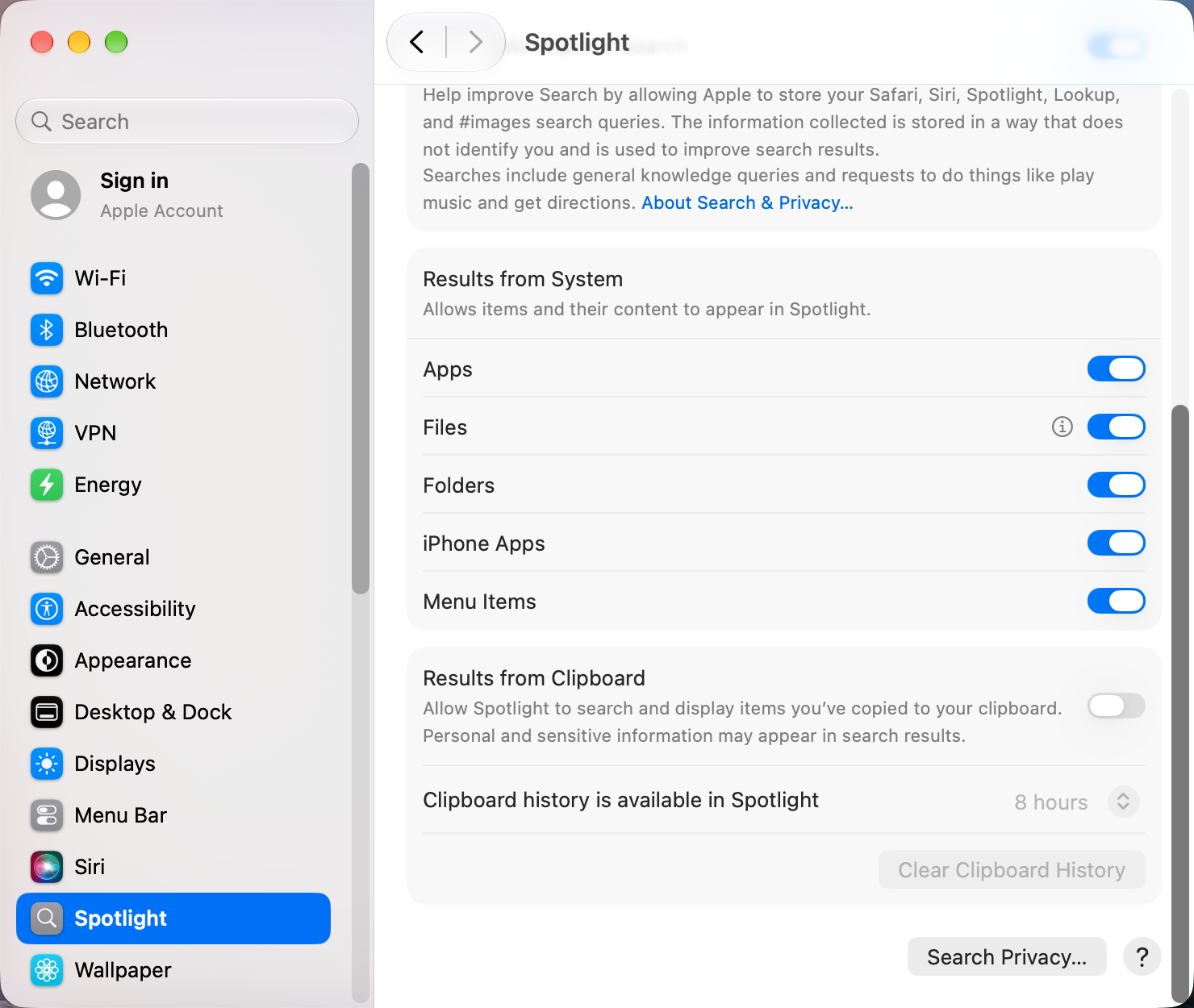
- Open System Settings › Spotlight.
- Under Results from System, make sure Files and Folders are on. Under Results from Apps, check the apps whose content you search, such as Mail.
- Click Search Privacy… and remove any folder you do want to search.
Rebuild the index from System Settings
- In System Settings › Spotlight, open the privacy list.
- Click + and add your startup disk (usually Macintosh HD), or the folder with the missing files.
- Wait a few seconds, select it, and click − to remove it.
- Spotlight starts indexing it again. Leave the Mac on until it finishes.
Rebuild the index from Terminal
Erase and rebuild the index for the startup disk:
sudo mdutil -E /Check that indexing is turned on:
mdutil -s /If it says indexing is disabled, turn it on with sudo mdutil -i on /.
Files on external drives or cloud storage
- External drives are only searched while connected, and some formats can't be indexed.
- Files in iCloud Drive, Dropbox or Google Drive that are cloud-only may not show their contents in results until downloaded.
Other apps that can help
You don’t need any of these for the steps above. They go further in different ways, so pick what fits how you work.
| App | What it does | Price |
|---|---|---|
| Raycast | Launcher and search with extensions, a popular Spotlight replacement | Free, Pro paid |
| Alfred | Launcher and file search with workflows | Free, Powerpack paid |
| HoudahSpot | Advanced file search built on the Spotlight index | Paid |
| EasyFind | Searches files directly, without the Spotlight index | Free |
Sources and further reading
- Rebuild the Spotlight index on your Mac · Apple Support
- macOS Golden Gate vs Tahoe: Spotlight index rebuilt · Macworld
Applies tomacOS 27TahoeSequoia
Reader tips
No tips yet. If something else worked for you, or a step looks different on your Mac, add it here.